Test connectivity using Postman
Test Visa APIs using Postman.
Overview
Postman is a free and open source API development and testing solution. With an easy-to-use graphical user interface, Postman allows client developers the ability to rapidly create and execute RESTful API functional tests.
In this guide, you will learn how to:
- Configure Postman settings for Two-Way SSL
- Create a Hello World REST project
- Configure the Helloworld API request
- Test the connection
Before you begin
Before using Postman, confirm that:
- You have a Visa Developer account and project, as described in the quick start
- You have selected and configured at least one authentication method
- You have available your Two-Way SSL client certificate, private key, and Basic Authentication credentials
- You have downloaded and installed Postman from https://www.getpostman.com/
Test Two-Way SSL connectivity
Follow the steps below to test Two-Way SSL connectivity with Postman:
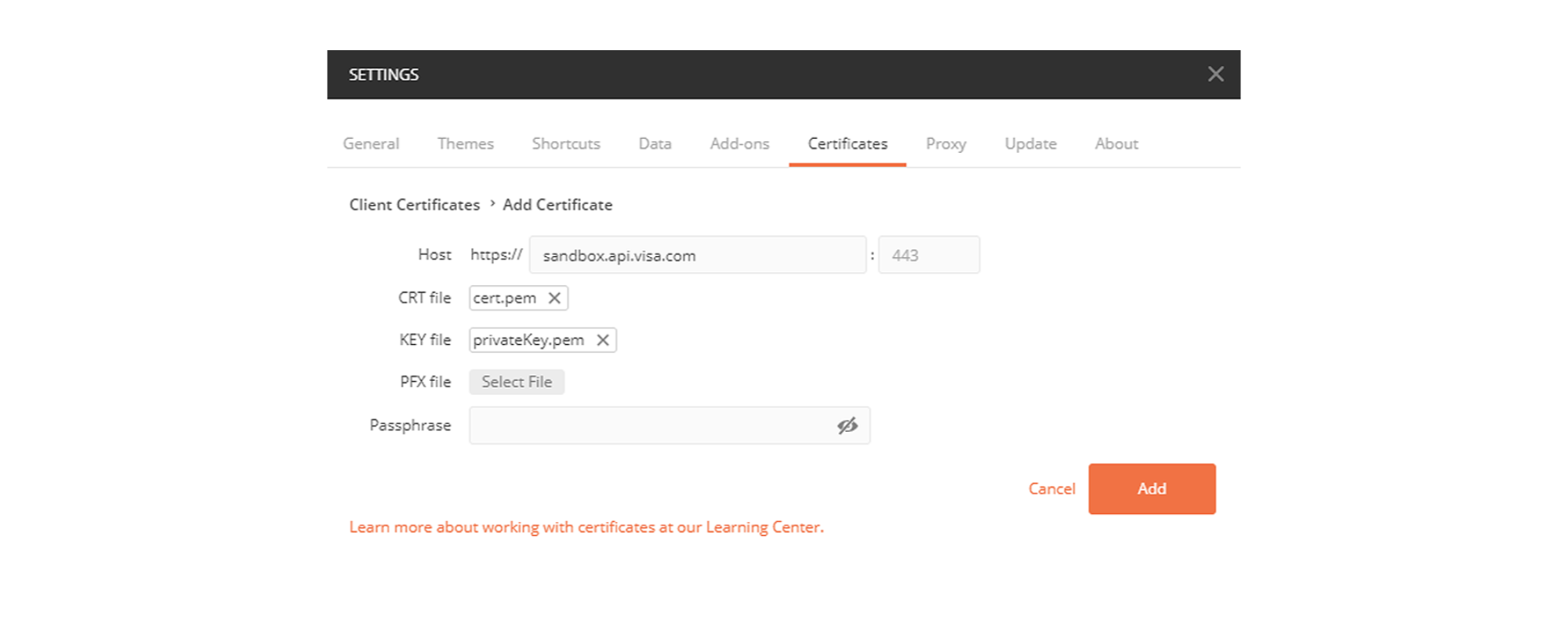
Step 1: Configure Postman Two-Way SSL settings
- From Postman, go to File > Settings.
- From the Certificates tab, select Add Certificate.
- Add the client certificate and private key.
- Select Add.
Step 2: Create a HelloWorld REST project
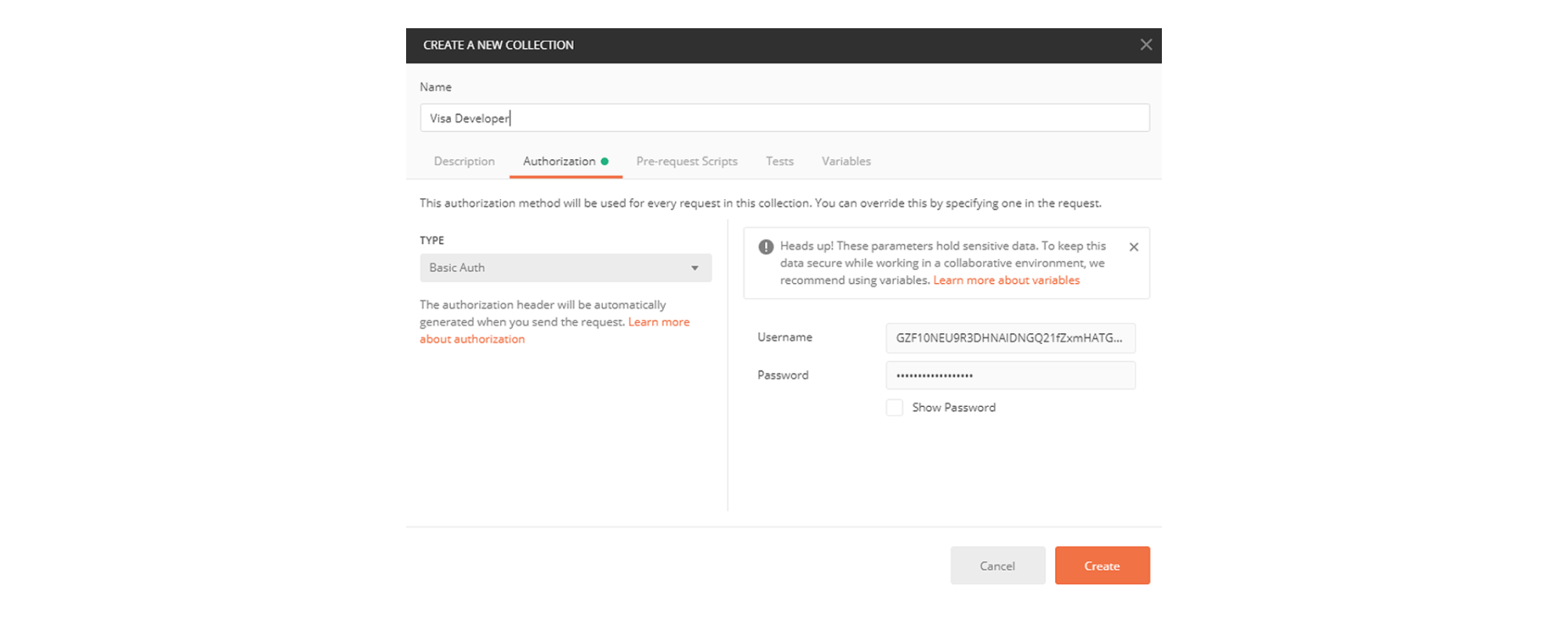
- In Postman, select Collections > New Collection.
- Provide a name and select the Authorization tab.
- Select Basic Auth for the TYPE.
- Provide the HTTP Basic Authentication username and password that you copied from Onboarding Dashboard > Credentials > Two-Way SSL > Inbound.
- Select Create.
Step 3: Configure the Helloworld API request and test the connection
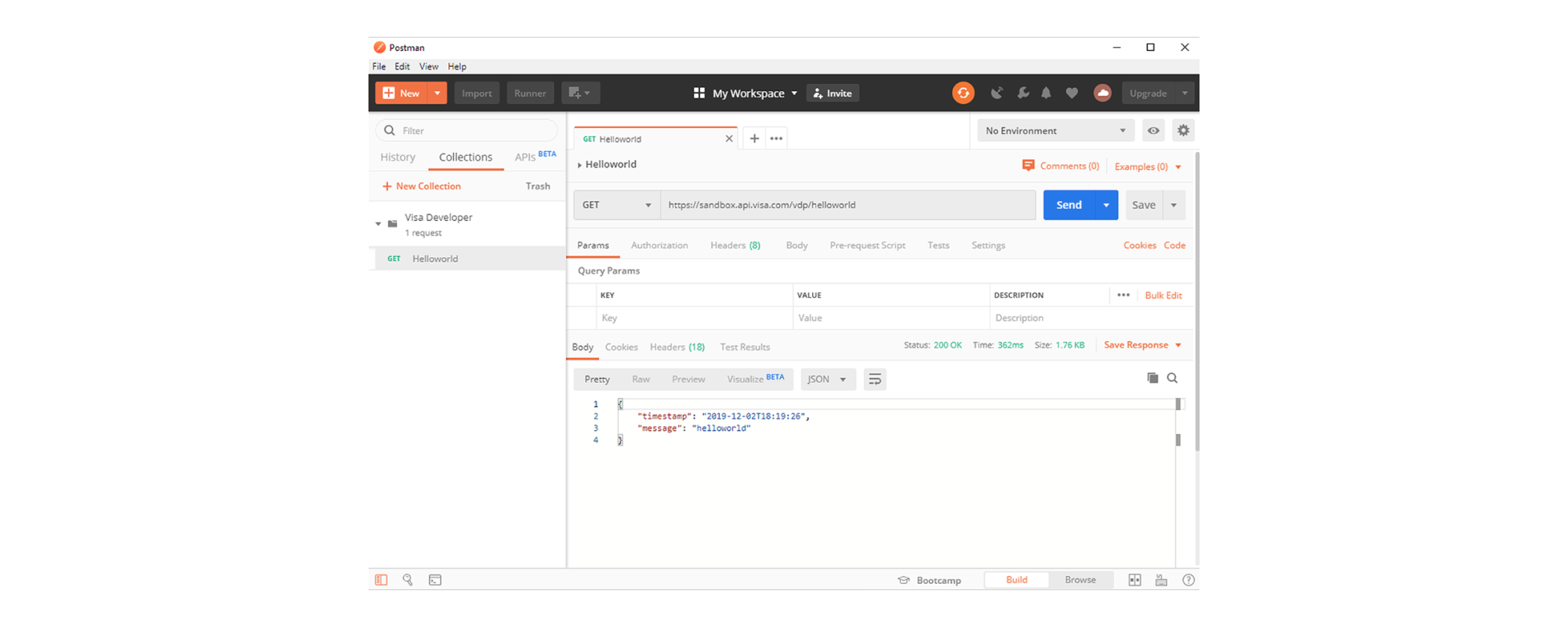
- Expand the newly created collection and select Add requests.
- Provide and select the request name to open it.
- Enter the helloworld URL for the environment you are testing in:
- Sandbox: https://sandbox.api.visa.com/helloworld
- Certification: https://cert.api.visa.com/helloworld
- Production: https://api.visa.com/helloworld
- Select Send to test your connection.
Tutorial
Watch this tutorial to learn how to configure Two‑Way SSL using OpenSSL and test your setup in Postman.
Need help?
Find answers in our FAQs or get support from a Visa Developer expert.